Manufacturing ERP: definition, essential functions and what AI changes
A manufacturing ERP runs production as well as accounting: bills of materials, routings, production orders and job costing. A guide for Quebec SMEs.

Alexandre Sauvageau, co-founder of Cogio
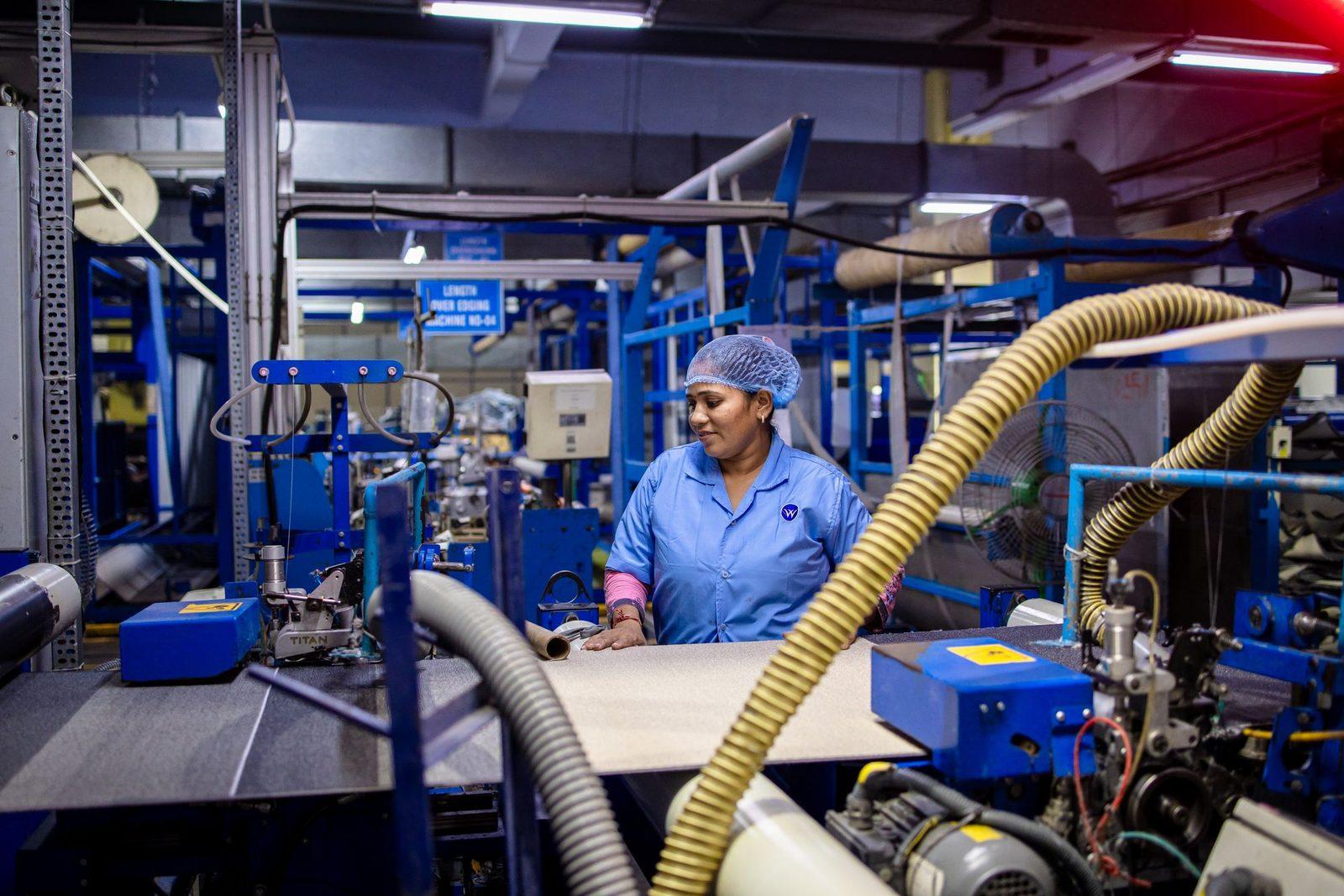
What a manufacturing ERP is
A manufacturing ERP is an enterprise resource planning system designed for a company that makes things. Like any ERP, it handles accounting, sales, purchasing and inventory. It adds everything that happens between the customer’s order and delivery: what the product is made of, which steps it goes through, on which machines, with which crews and at what cost.
Take a Drummondville shop that receives an order for 40 steel brackets. In accounting software, the order leaves behind a sales invoice and a few purchase invoices. In a manufacturing ERP, it becomes a production order. The system knows that each bracket takes two plates, four angles and one hour of welding. It checks stock, suggests buying the missing steel, books the welding station and builds up the actual cost of the order as the work progresses.
Accounting software such as QuickBooks, Sage 50 or Acomba keeps the books very well: it knows what the company sold and bought. A manufacturing ERP also knows what it made, with which materials and at what actual cost. If your orders still live in spreadsheets, our article on moving from Excel to an ERP helps you pick the right time.
The essential functions
Vendors do not split their modules the same way, but the same functions show up everywhere. The table below lists them, with the practical sign that tells you your company needs each one. Quality management, equipment maintenance and shop floor data collection are often added on top.
Two functions carry more weight than the others. Job costing comes first, because it tells you whether a contract made money. Traceability comes next. It is sometimes a legal requirement. A food processor in Saint-Hyacinthe that ships to Ontario is generally covered by the Safe Food for Canadians Regulations. According to the Canadian Food Inspection Agency, it must be able to trace each food one step back and one step forward, with its lot code or another unique code, then keep those records for two years. An ERP that tracks lots keeps those records as operations happen.
| Function | What it does | Sign that you need it |
|---|---|---|
| Bill of materials | Lists the components, materials and quantities that go into each product, on one or more levels | Your parts lists live in spreadsheets that contradict each other from one version to the next |
| Routing | Describes the operations, their sequence, the work centres and the planned time for each one | Only the shop foreman knows which steps a part goes through |
| Production order | Releases a given quantity to production and tracks materials consumed, time spent and parts produced | The shop floor learns what is in an order from a piece of paper or a phone call |
| Material requirements planning (MRP) | Works out what to buy, what to make and when, based on orders, bills of materials and stock | Rush purchases every week while other materials sit on the shelves |
| Scheduling and capacity | Spreads the work across machines and crews according to their actual load | Two orders compete for the same press brake and you find out that morning |
| Job costing | Compares the planned and actual cost of each order: materials, labour, subcontracting, overhead | You find out at month end, or never, that a contract was sold at a loss |
| Inventory and purchasing | Tracks raw materials, work in progress and finished goods, then prepares orders to suppliers | The physical count never matches the system |
| Lot and serial number traceability | Links every product shipped to the material lots and operations that produced it | A customer, an auditor or a regulation asks where a part came from |
| Estimating and quotes | Prices a request for quote from bills of materials, routings and your hourly rates | Your quotes depend on one person and their memory of prices |
Repetitive, make-to-order or engineer-to-order
Before comparing software, name the way you manufacture. That is what decides which functions you will use every day. Many SMEs combine two: a catalogue of standard products and special orders.
- Repetitive manufacturing, to stock. A furniture maker in the Beauce region produces the same models in series, based on its sales forecasts. It needs solid planning, stable bills of materials, close inventory tracking and scheduling that keeps the machines busy. Recipe-based processes, such as food or chemicals, also call for formula and lot management.
- Make-to-order (MTO). A door and window manufacturer in Victoriaville only starts production once the order is signed, often based on options the customer picked. It needs a configurator or bills of materials with options, a production order tied to each customer order and a reliable delivery date at quoting time.
- Engineer-to-order (ETO). A Granby shop that designs steel structures or special machinery draws every product for one customer. The quote is priced before the design is finished. The bill of materials changes along the way. The shop needs estimating, project-based management, a link to its CAD software and job costing tracked order by order. Genius ERP, for example, describes a “progressive release” that lets a shop start manufacturing the first phase of a project while engineering continues on the next stages.
MRP or ERP: the difference
MRP, or material requirements planning, is a calculation. Starting from orders and forecasts, it works down through every bill of materials, subtracts stock and orders already placed, accounts for supplier lead times, then recommends dated purchases and production orders. In SAP Business One, for example, an MRP run produces recommendations for production orders for items made in-house and purchase orders for items that are bought.
MRP II (manufacturing resource planning) later added machine and crew capacity. An ERP goes further: it puts that calculation at the centre of a system that also handles sales, purchasing, accounting and job costing. The purchase recommendation becomes a purchase order, the receipt updates stock, the supplier invoice is charged to the right order and the actual margin shows up when the order is closed.
Today, MRP is far more often an ERP module than a separate piece of software. So the useful question is not “MRP or ERP?” but “can my ERP plan for the way I manufacture?” An engineer-to-order shop that never makes the same part twice will get more out of good project management than out of classic MRP.
The software Quebec manufacturers use
Several families of software share Quebec’s plants. Here are five names that come up often, listed in alphabetical order with no ranking. Each description reflects what the vendor itself highlights. The right choice depends on how you manufacture, on your size and on the partner who will handle the implementation. Our guide to choosing ERP software in Quebec offers a complete decision grid.
- Acumatica. A cloud ERP whose Manufacturing Edition covers discrete and process manufacturing: bills of materials and routings, MRP, advanced planning and scheduling, a rules-based product configurator, estimating, engineering change control, shop floor data collection and lot and serial tracking. It suits a company that wants a single system from quote to cash.
- Business Central. The Microsoft Dynamics 365 ERP handles production bills of materials, routings, work centres, production orders, planning, subcontracting and quality management. According to Microsoft’s documentation, these manufacturing features require the Premium experience. It suits a company already at home in the Microsoft world.
- Epicor Kinetic. An ERP designed for and with manufacturers, according to the vendor, which describes it as specialized for discrete, make-to-order manufacturing. It offers MRP, advanced planning and scheduling and a manufacturing execution system (MES). It can be deployed in the cloud, on premises or in a hybrid setup, for a single plant as well as a multi-site group.
- Genius ERP. The software from Genius Solutions, designed and developed in Canada for custom manufacturers. It brings together estimating, engineering, purchasing, planning, production management, inventory and project costing. Its CAD2BOM module turns design drawings into bills of materials. It suits shops that build to order or engineer to order. Our article on Genius ERP and AI covers its API and its AI platform.
- SAP Business One. SAP’s ERP for small and midsize businesses, available in the cloud or on premises. SAP says it is used by more than 85,000 customers worldwide, including light manufacturers. Its MRP module relies on production bills of materials and recommends production orders and purchase orders. It suits an SME that combines light manufacturing with distribution.
What AI agents change in a plant
Even a well-chosen manufacturing ERP has to be fed. Supplier invoices arrive as PDFs, requests for quotes by email with drawings attached, sketches on paper. Someone has to read, re-enter and attach each document to the right order. That is the work AI agents take on in 2026. They do the data entry and prepare the documents, then a person approves.
An agent is not a copilot waiting for a question. It starts on its own when something happens, such as an invoice arriving. It then carries out the task inside your systems. Our article on the agentic ERP explains the difference in detail. At Cogio, supplier invoices, quotes and shop drawings are in production at a manufacturer. The other workflows are configured on request.
For five concrete cases on a shop floor, see AI in a metal fabrication shop.
- Supplier invoices. The agent reads the PDF received by email, suggests the account coding, matches the invoice to the order and the receipt, then assigns it to the right job. Job costs build up as the work happens rather than at month end. Payment still requires your approval. Our guide to automating invoicing in an SME describes each check.
- Quotes. The agent reads the request for quote, prepares the quote from your agreed prices, asks for any missing information and follows up until the quote is accepted. Your pricing rules and minimum margin apply. The project manager approves before anything is sent. The full flow is in our guide to automating quotes.
- Shop drawings. The agent reads the sketches and prepares the shop drawings in DXF, with their archived versions. The drafter reviews, adjusts and approves every sheet. Nothing goes to fabrication without the drafter’s sign-off.
- Production orders, on request. From a confirmed sales order, the agent prepares the work order and flags material variances. The planner decides the sequence.
A Granby steel structure manufacturer’s experience
Les Industries Romy builds and installs steel structures for heavy industry, the industrial sector and construction. Before the project, labour and material costs were not tracked per project, so there was no way to know the total spend on a job. Supplier invoices were keyed in by hand and estimating relied on several in-house tools that did not talk to each other.
Since May 2026, Cogio’s agents have been running on a server installed inside the company. They read supplier invoices, match them to the right project and write them into QuickBooks through its API. They also prepare quotes and shop drawings, which the project managers and the drafter review before anything goes out.
According to management’s estimate, accounting went from 12 hours to 1 hour a week, the drafter from 40 to 20 hours on the targeted tasks and the agents as a whole free up 140 hours a week. The company sends roughly two to three times as many quotes. Sales are up 70% since the system went live, compared with the same period last year, again according to management. No positions were cut. These figures have not yet been measured over a full year. Robin Langlois, owner of Les Industries Romy, is also a co-founder of Cogio.
The role-by-role breakdown is in our article on the hours freed at this Granby manufacturer and in the Romy case study.
Switch ERPs or connect agents to the one you have
Two paths lead to the same result. The choice depends mostly on where your systems stand. Either way, the agents run on a server installed on your premises or with a hosting provider in your region. You know where your prices, your margins and your customers’ drawings are kept. You also know who can access them.
- You have no manufacturing ERP, or yours is no longer enough. Cogio designed its own ERP so that agents can do the data entry. It includes a manufacturing module (bills of materials, work orders and work centres) and inventory that tracks lots and serial numbers. It is a free ERP, with no licence fees and no per-user fees. You pay for the services: installation, automations, hosting and maintenance. Agents bring over your data from QuickBooks, Sage 50, Acomba or your spreadsheets.
- You have an ERP that works for you. The agents connect to it through its API or its exports, using an account with limited permissions. Your teams keep their screens and their habits. Four ERPs have their own integration page with us: Genius ERP, Acumatica, Business Central and SAP Business One. For other software, the approach is the same if its API allows it.
Funding a manufacturing ERP project
A plant ERP project can be partly funded. Stream 1B of Investissement Québec’s ESSOR program supports the diagnostic and digital plan of an eligible SME. Stream 1C supports the rollout. The MFOR program from Services Québec funds team training at up to 75%. The C3I tax credit covers, among other things, management software packages and manufacturing equipment. If tariffs are hitting your sales or your costs, Canada Economic Development’s RTRI can fund a pivot project such as automation.
One rule applies to almost all of these programs: file the application before you commit any spending. The RTRI is the exception, since it accepts a project started up to 12 months earlier. Since the October 2026 election, Quebec programs may be revised, so rates should be confirmed with each agency. Our article on funding an ERP project in Quebec explains how to stack these programs. Current amounts are on the Funding page.
Where to start
With your own picture, before any software demo. First, name the way you manufacture: repetitive, make-to-order, engineer-to-order or a mix. Then, for two weeks, count the office hours spent on supplier invoices, quotes, drawings and price lookups. That is often where the first gain lies, even before planning.
Check your master data too. Items, bills of materials, routings, hourly rates: an ERP is only as good as what goes into it. Our guide to implementing an ERP in an SME walks through the steps, from choosing the software to go-live.
Finally, pick a single process to automate, measure it beforehand, then compare after a few weeks in production. To see what this approach would look like in your plant, visit our manufacturing page or get in touch.
Frequently asked questions
What is a manufacturing ERP?
An enterprise resource planning system designed for a company that makes things. Along with accounting, sales and purchasing, it manages bills of materials, routings, production orders, material requirements planning, job costing, inventory and lot traceability.
What is the difference between MRP and ERP?
MRP works out what to buy, what to make and when, based on orders, bills of materials and stock. An ERP includes that calculation and ties it to sales, purchasing, accounting and the actual cost of each order. Today, MRP is usually a module of the ERP.
Which ERP should a Quebec manufacturing SME choose?
The one that fits the way you manufacture. Several products cover production, including Acumatica, Business Central, Epicor Kinetic, Genius ERP and SAP Business One, each with its own strengths. Compare them on your own orders, with a demo built on your data.
What is a bill of materials in an ERP?
The structured list of components, materials and quantities that go into a product, often on several levels: the finished product, its subassemblies, then their parts. The ERP uses it to calculate material requirements, prepare purchases and estimate the planned cost.
How much does a manufacturing ERP cost?
The price depends on the vendor, the number of users, the modules you choose and the implementation. The ERP designed by Cogio comes with no licence fees and no per-user fees: you pay for the services, namely installation, automations, hosting and maintenance.
Can we add AI to our current manufacturing ERP?
Yes. Agents connect to the ERP you already have through its API or its exports. They can read supplier invoices, prepare quotes and production orders, then hand the result to a person for approval. Cogio does this with Genius ERP, Acumatica, Business Central and SAP Business One, among others.
Sources and references
- Genius ERP, home page and vendor description
- Genius ERP, CAD2BOM Engineering
- Acumatica, Manufacturing Management
- Microsoft Learn, Manufacturing overview, Business Central (July 15, 2026)
- SAP, SAP Business One
- SAP Learning, Exploring the Materials Requirements Planning (MRP) Process
- Epicor, Kinetic
- Canadian Food Inspection Agency, Traceability (Safe Food for Canadians Regulations)
- Les Industries Romy case study, Cogio
This article is a plain-language summary, accurate as of the date shown. It is not legal, tax or financial advice: for your own situation, consult a qualified professional.
Read next
Industries
AI in a metal fabrication shop: five use cases that pay for themselves
Read
ERP and automation
Agentic ERP: definition, examples and how it differs from a traditional ERP
Read
ERP and automation
Genius ERP and AI: what a manufacturer can automate in 2026
Read
A question about your own project?
The discovery call is free and takes half an hour. You leave with an honest read on your situation.
Let’s talk about your project