Metal fabricationManufacturing SME, Granby
Les Industries Romy
Fabricator and installer of steel structures for heavy industry, the industrial sector and construction
The context
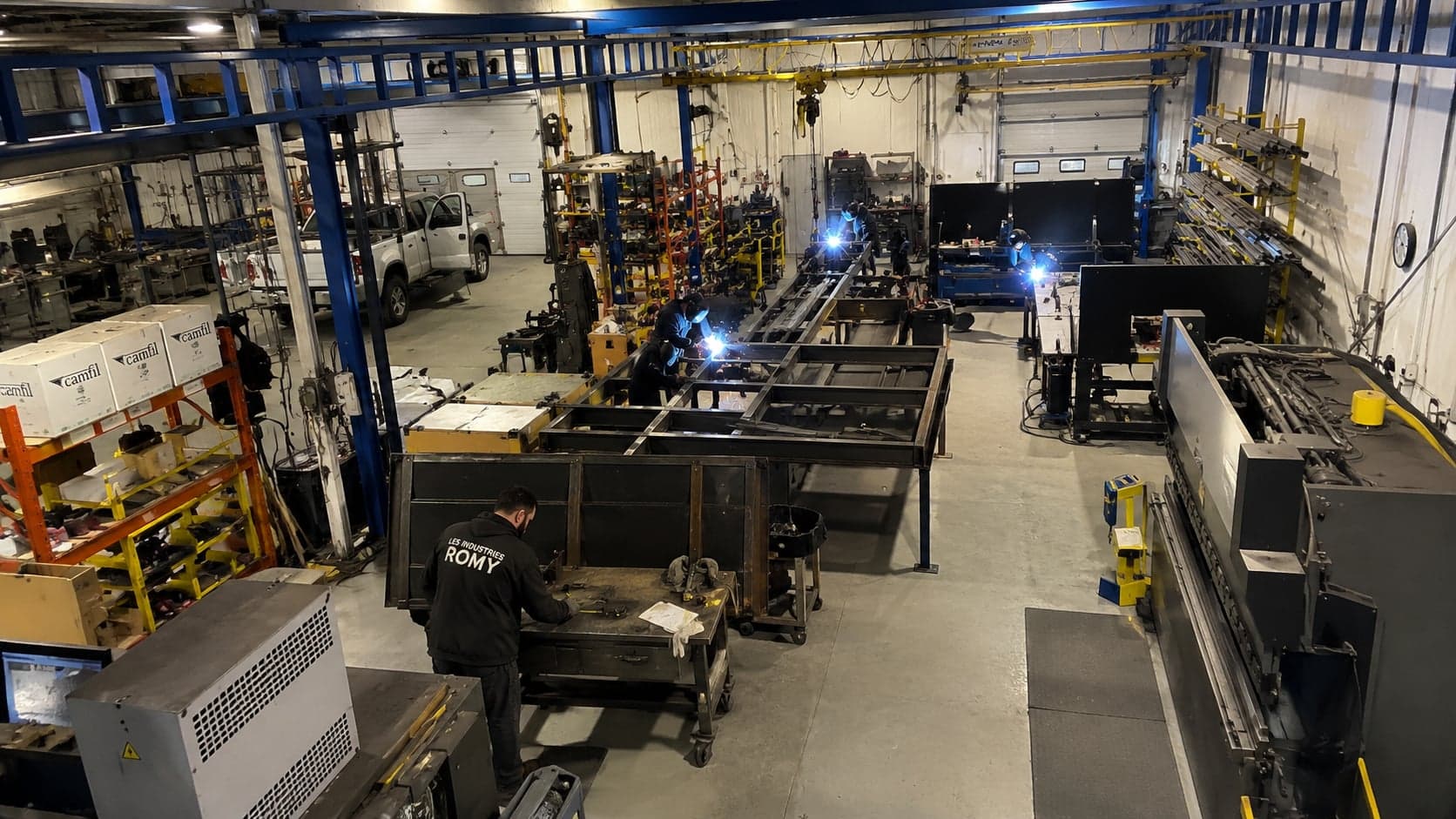
Les Industries Romy fabricates and installs steel structures in Granby, for heavy industry, the industrial sector and construction. Estimating, project tracking and accounting all rested on a handful of key people, and the information sat dormant in inboxes and network folders. The company wanted a team of agents that worked inside its own data, inside the tools it already used, and above all on its own server.
The challenges
- Supplier invoices keyed in by hand
- Labour and material costs not tracked per project: no way to know the total spend on a job
- Forgotten follow-ups: 16 quotes had been sitting for more than 90 days, some for 900
- Estimating and project tracking spread across several in-house tools that did not talk to each other
The system we built
A few screens from the system in service: what the teams see every day on the shop floor. The interface is in French, because that is the language the client works in.
01
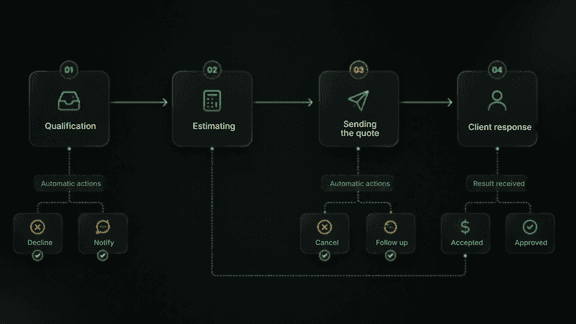
The quoting process, automated end to end
From qualification to the client’s answer, every stage fires its own automatic actions: decline, notify, follow up or cancel. A quote never sleeps in an inbox again.
02
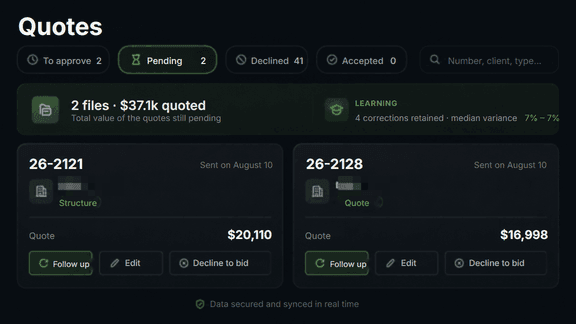
Quotes, priced and tracked
Awaiting approval, pending, declined, accepted: the value of the open pipeline reads at a glance and a follow-up is one click away. The agent learns from the estimator’s corrections: four corrections retained, a median variance of 7%.
03
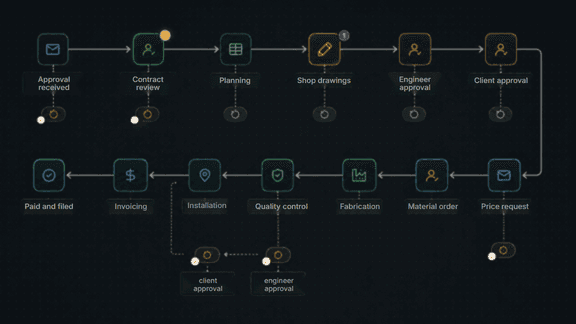
Contract management, from approval to closing
Twelve stages tracked automatically, from contract approval through to invoicing, with engineer and client sign-offs in the right places. Everyone knows where the contract stands, with no status meeting.
04
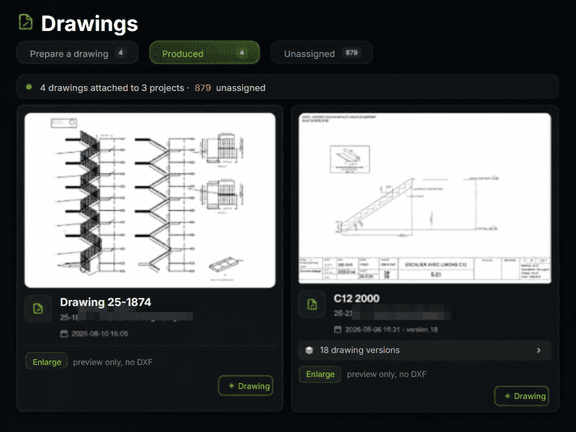
AutoCAD drawings prepared by the AI
The agent reads the sketches and prepares the shop drawings in DXF, with every version archived: staircase C12 is on its eighteenth. The drafter starts from a sheet that is already laid out rather than a blank page, and nothing is sealed without a human.
05
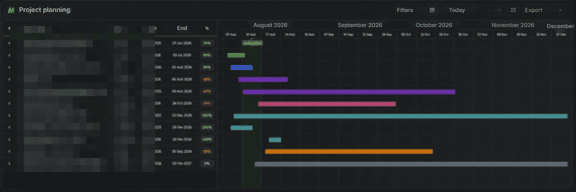
The schedule for every project
Each project shows its lead, its dates and its progress on a single timeline. Resource conflicts become visible before they hurt, and the schedule updates itself as meetings and decisions are recorded.
06
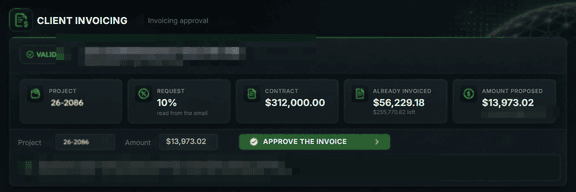
Client invoicing, prepared then approved
The agent reads the request that came in by email, reconciles it against the contract and against what has already been invoiced, then proposes the exact amount. A person approves, and the entry goes to QuickBooks through the API.
07
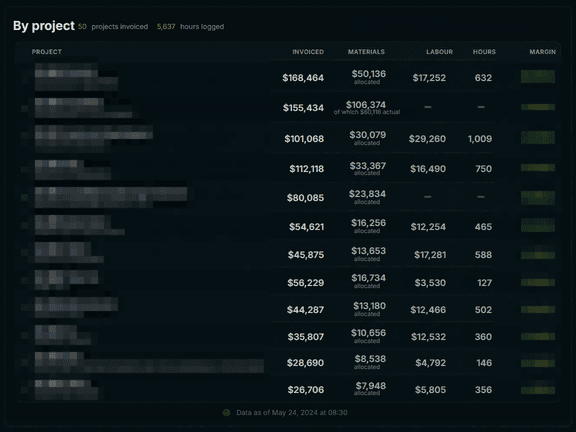
Dashboards built for the shop
Fifty projects invoiced, 5,637 hours logged: materials, labour, hours and margin read project by project. Job costing builds up as the work happens rather than at month end.
08
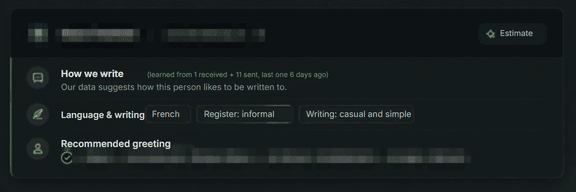
Writing style, learned client by client
The system observes how each person communicates: language, register, formality, greeting and sign-off. A client receives an email that sounds like every other one they have received.
09
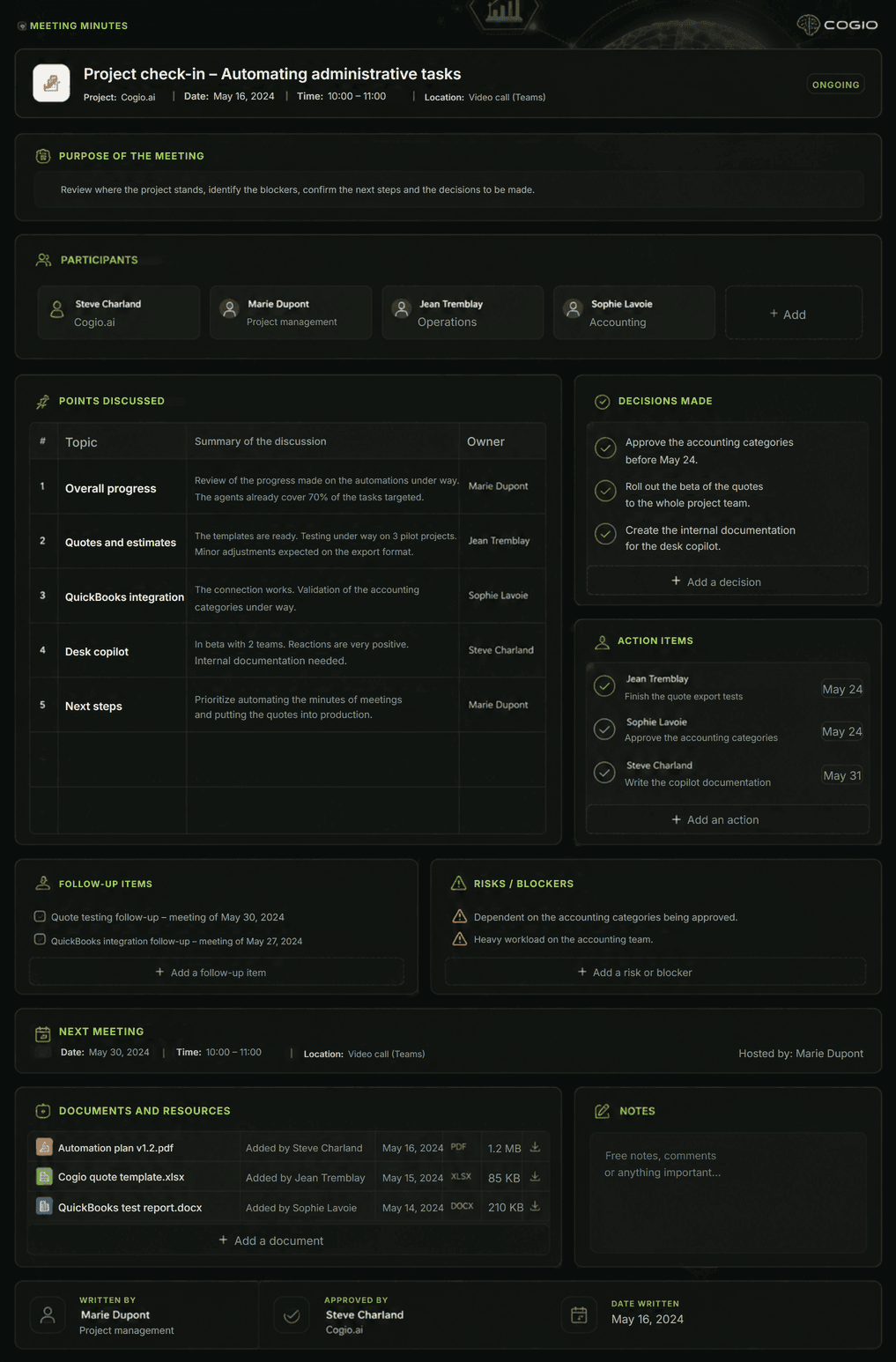
Meeting minutes, transcribed and structured
The meeting is recorded, transcribed and turned into minutes: points discussed, decisions made, actions with an owner and a due date, risks and documents. The audio stays on the server and is purged after 24 months.
10
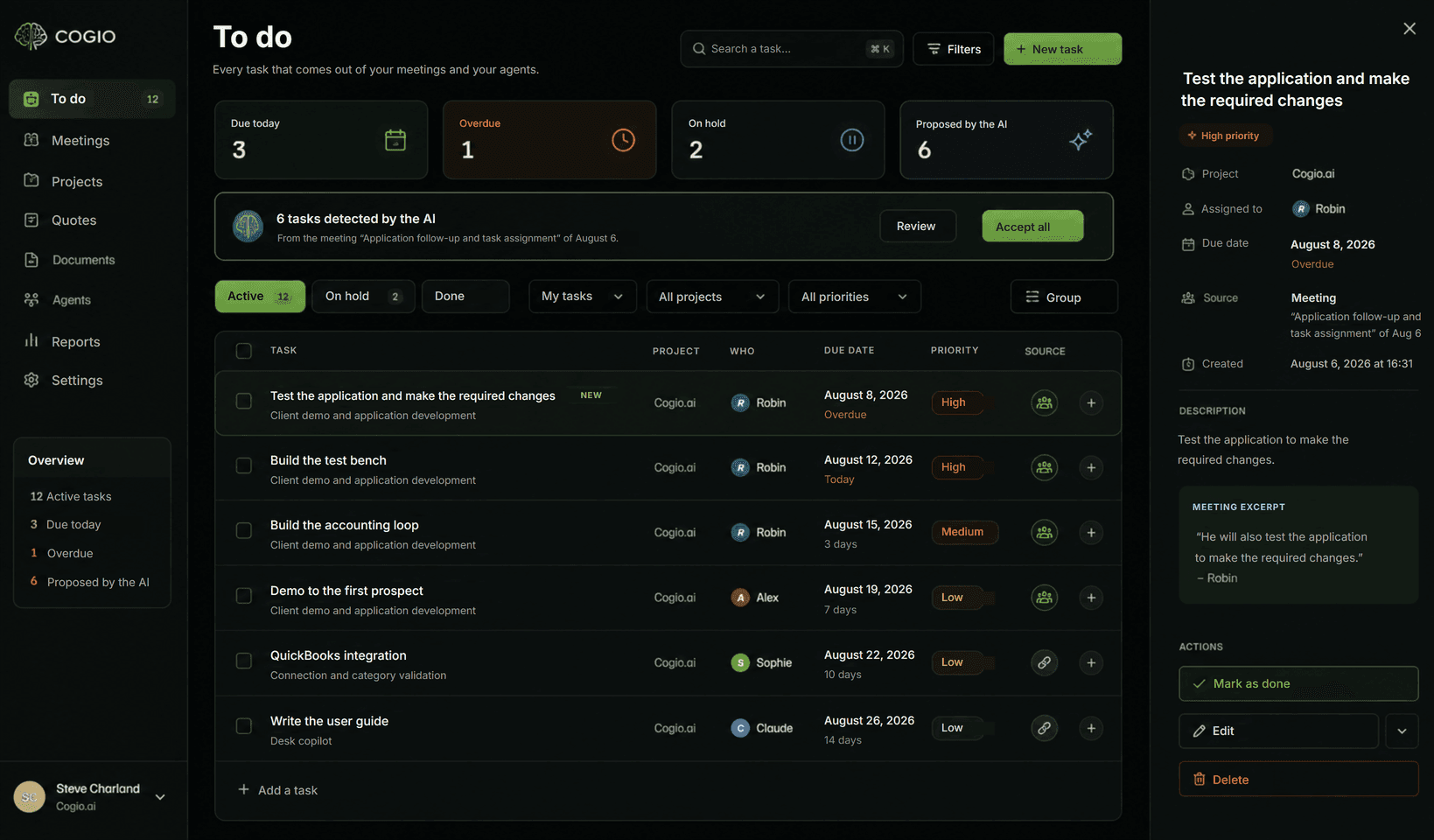
And the meeting turns into action items
Tasks detected during the meeting land in the shared list, assigned to the right people with a due date and an excerpt of the discussion as evidence. The schedule updates itself and the follow-up meetings agreed on book themselves: nothing is lost between what was said and what gets done.
The savings
Drafter
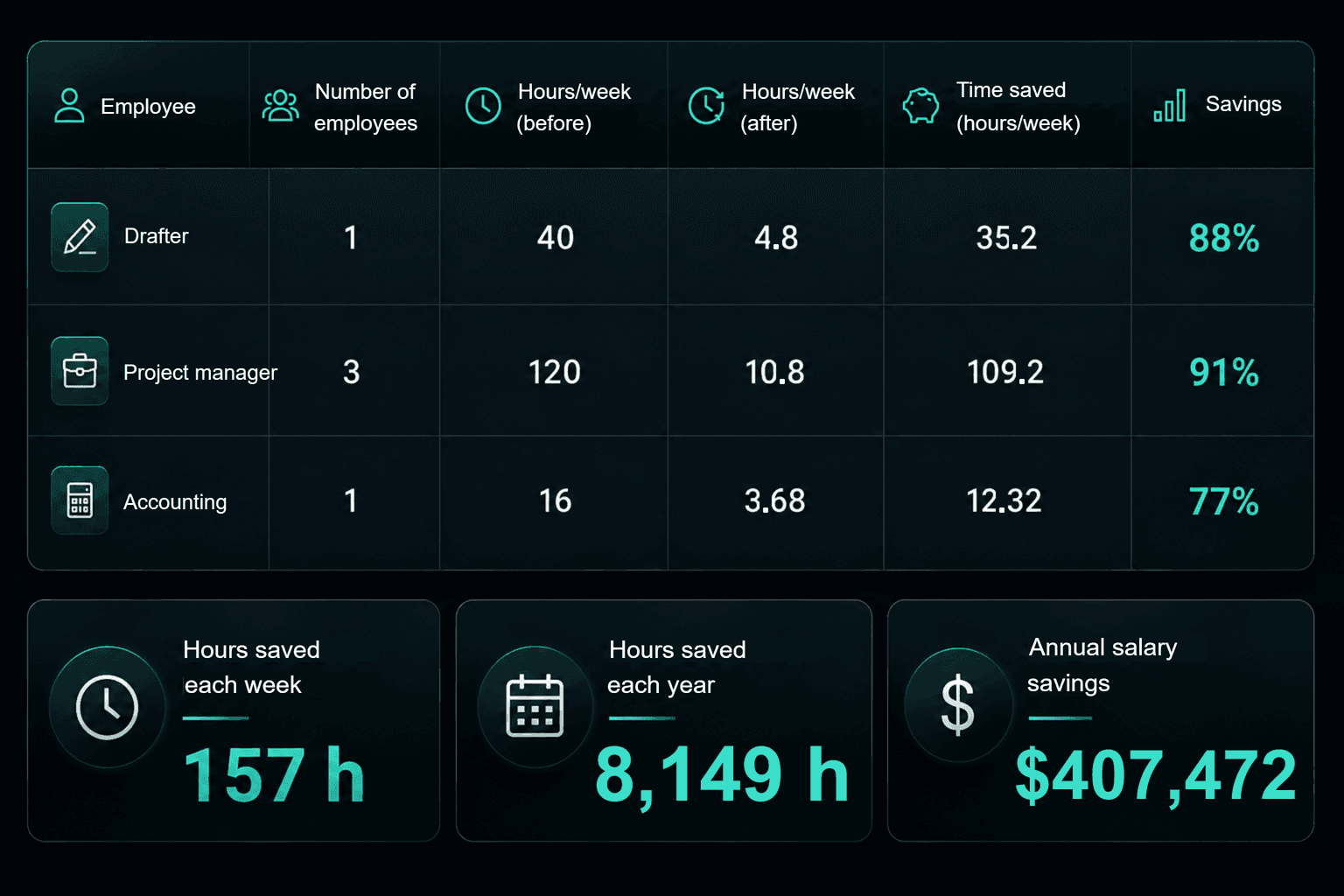
The agent reads the sketches and prepares the shop drawings in DXF, with every version archived. The drafter no longer produces the sheets: they review them, adjust them and approve them. Nothing is sealed without him.
Project managers
Job tracking, follow-ups, quote preparation, coordination and written summaries are all automated. Client relationships and judgment are not: that is where the three project managers reinvest their hours.
Accounting
Invoices received by email are read, matched to their project and written into QuickBooks through the API; job costing builds up as the work happens. This is the work the agent does end to end, under human sign-off.
The four gains
01
Time management
The morning briefing replaces the old round-table: what is urgent today, in thirty seconds, drawn from the register and the pipeline. No more digging through three systems to find out where a job stands. Anything that has been dragging for two years is counted separately: set aside from the morning, not forgotten.
02
Administration
The administrative assistant follows instructions written in advance, defined entirely through dropdown menus: what, from where, to where, how often, up to what amount, who approves. Below the set amount it acts on its own and leaves a trace; above it, it posts a card and waits.
03
Project management
Every job carries its official number, its costs, its schedule and its drawings. Follow-ups fire on their own and are drafted ahead of time. A project analysis runs in one click, and it names what is missing to close it out instead of showing a reassuring zero.
04
Accounting
Supplier invoices arrive by email, are read, matched to the project and written into QuickBooks through the API. Job costing builds up as the work happens rather than at month end.